
Code Assistants in IDEs
Assistant tools integrated into IDEs can help developers to write code faster and with better quality. These tools use large language models (LLMs) to provide code suggestions, complete code snippets, generate tests... and more. This section presents GitHub Copilot, one of the most popular code assistants available today.
GitHub Copilot
GitHub Copilot is a tool that uses the OpenAI language models to provide code suggestions and suggestions for improving code quality. Copilot can now use other LLMs than OpenAI, including Google, and Anthropic to provide code suggestions. You can choose the model you want to use in the settings of your IDE.
Alternative code assistance
There is also other producs indegrated to IDEs such as :
- Gitlab Duo,
- Gemini Code Assist,
- SuperMaven,
- AWS CodeWhisperer, and more.
Copilot Chat
Copilot Chat is a chat interface that allows you to ask questions and get suggestions for code improvements. It is a similar approach to chat GPT prompting optimised for the developper experience.
it's available on :
- JetBrains IDEs
- Visual Studio
- Visual Studio Code
- In GitHub mobile App
- Web version in github.com (Preview)
- CLI version in GitHub CLI : CLI helps you using you command line interpreter
You can use it in the terminal with the following command:
gh auth login
gh extension install github.copilot
gh copilot explain "traceroute github.com"
IDEs integration (VSCode)
Copilot chat is available as an extension for VSCode. You can install it from the VSCode marketplace. The client enables you to interact with copilot chat directly from your IDE for :
Completion
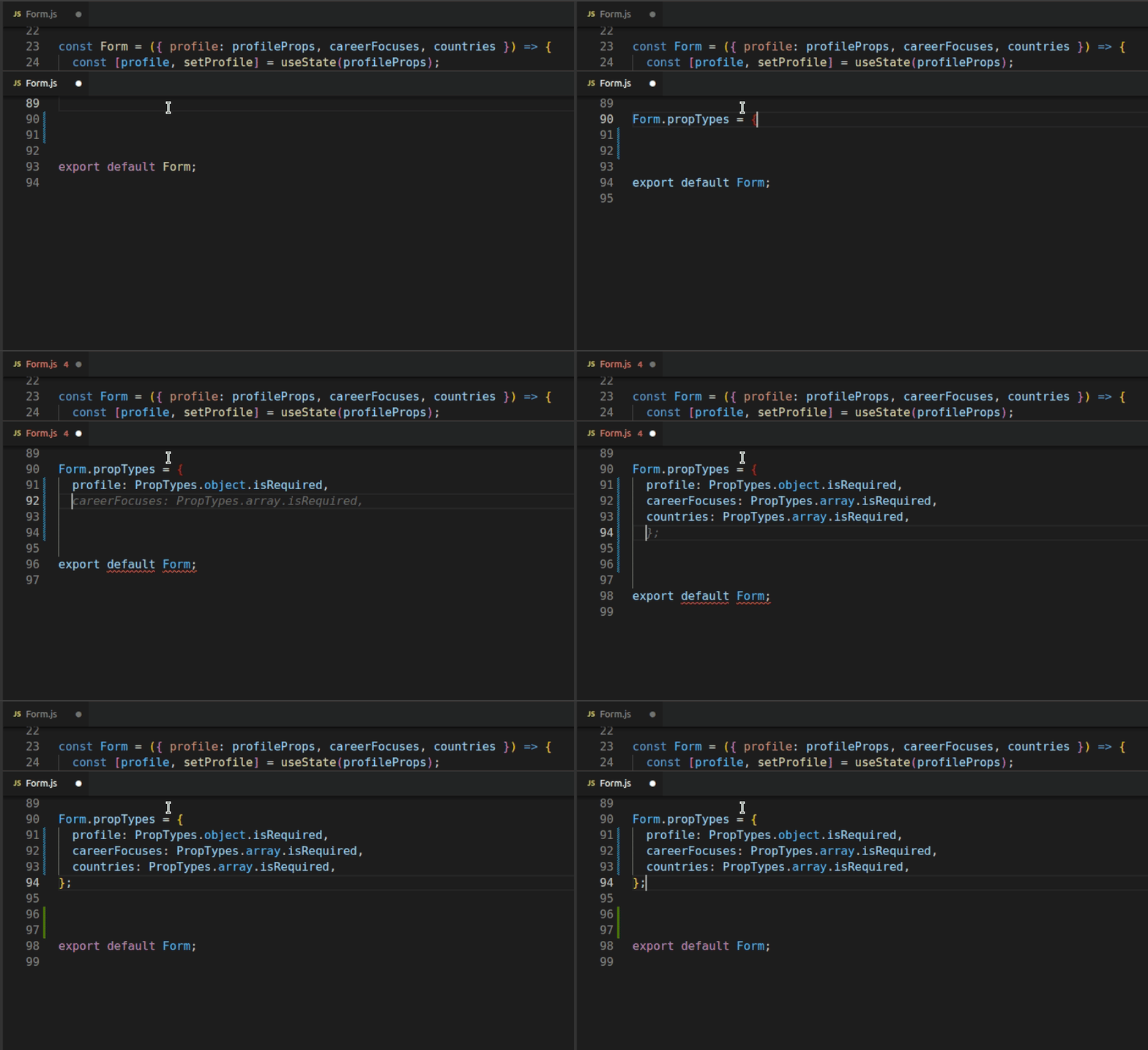
Code generation & refactoring
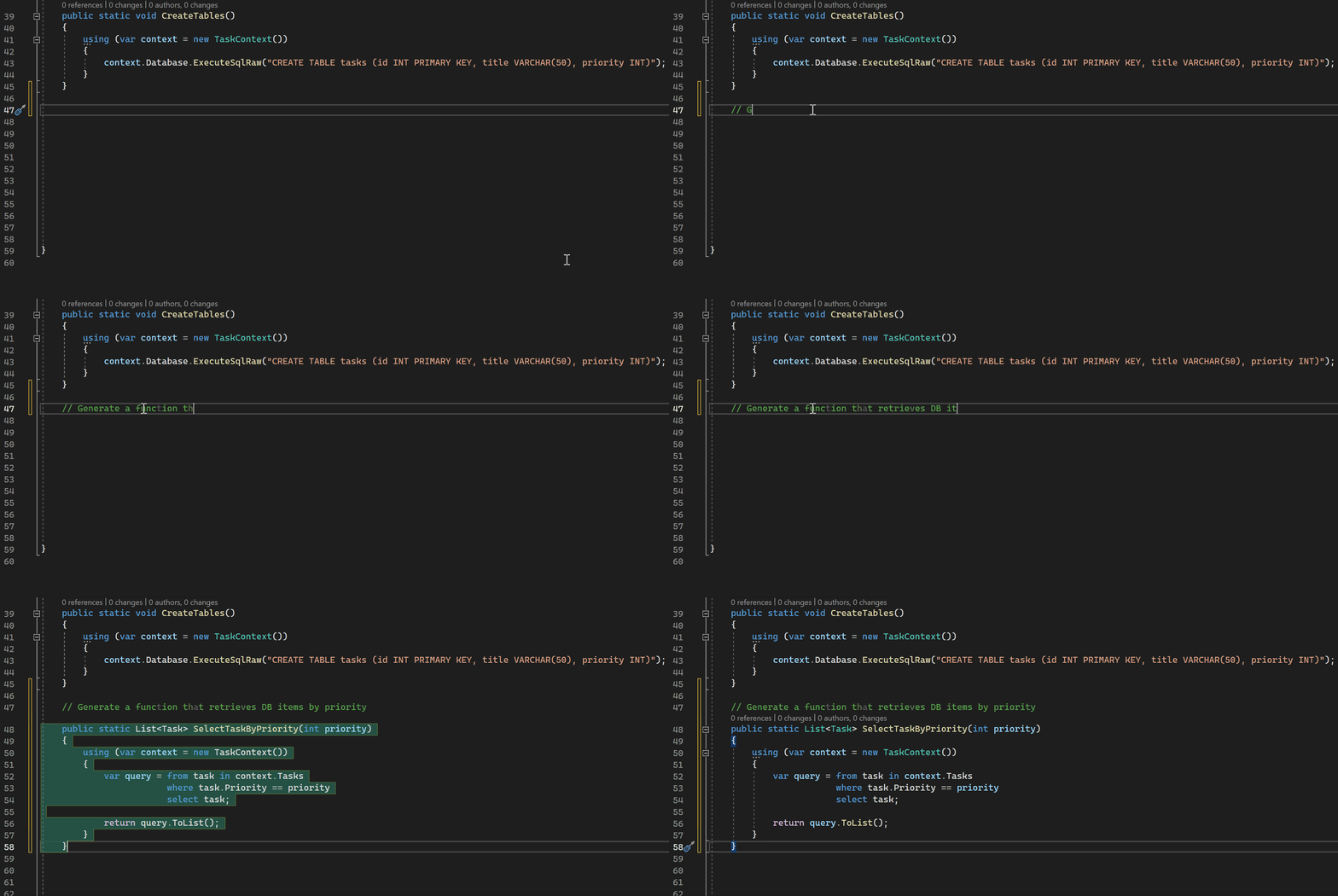
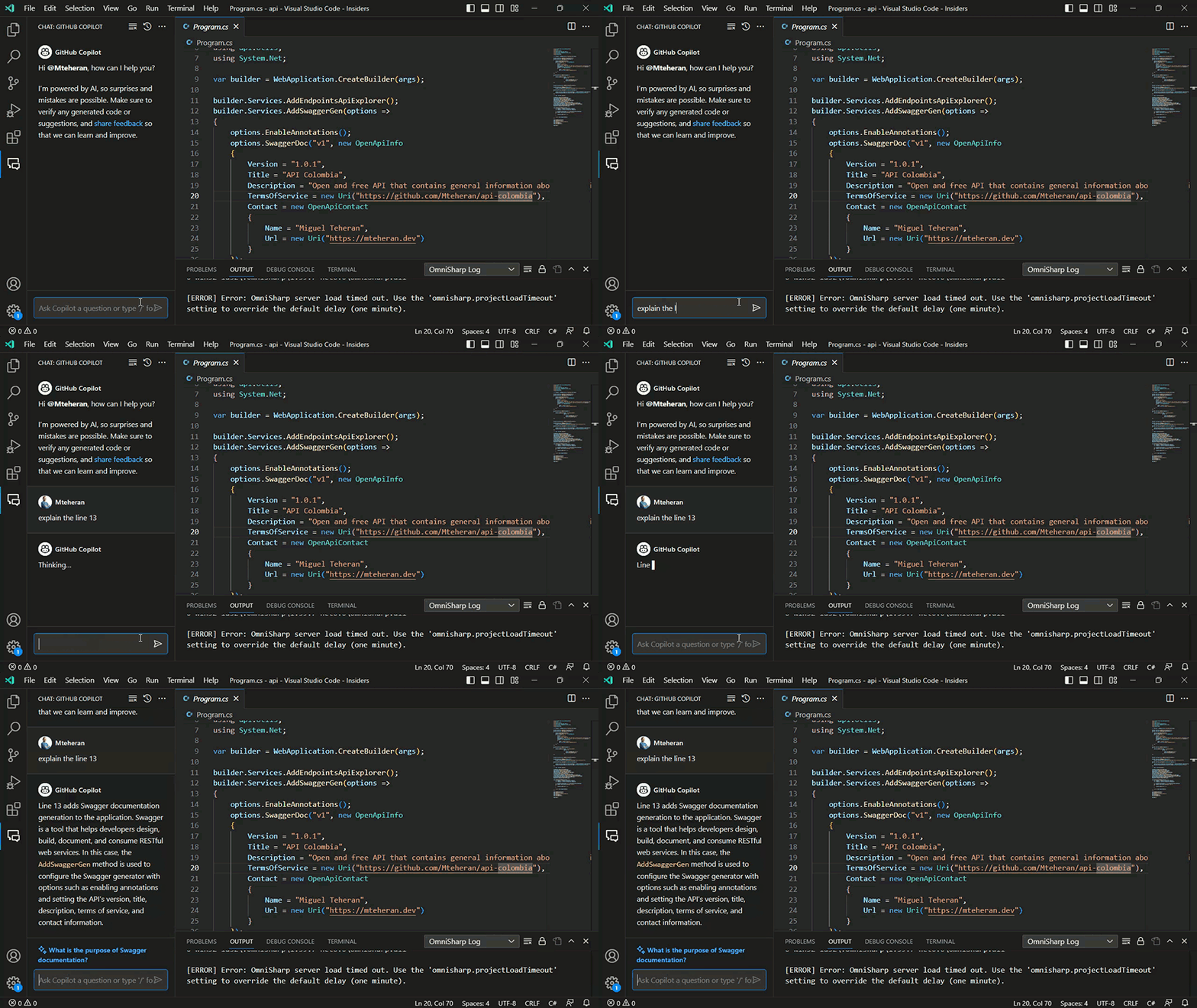
Assistance
Explain code
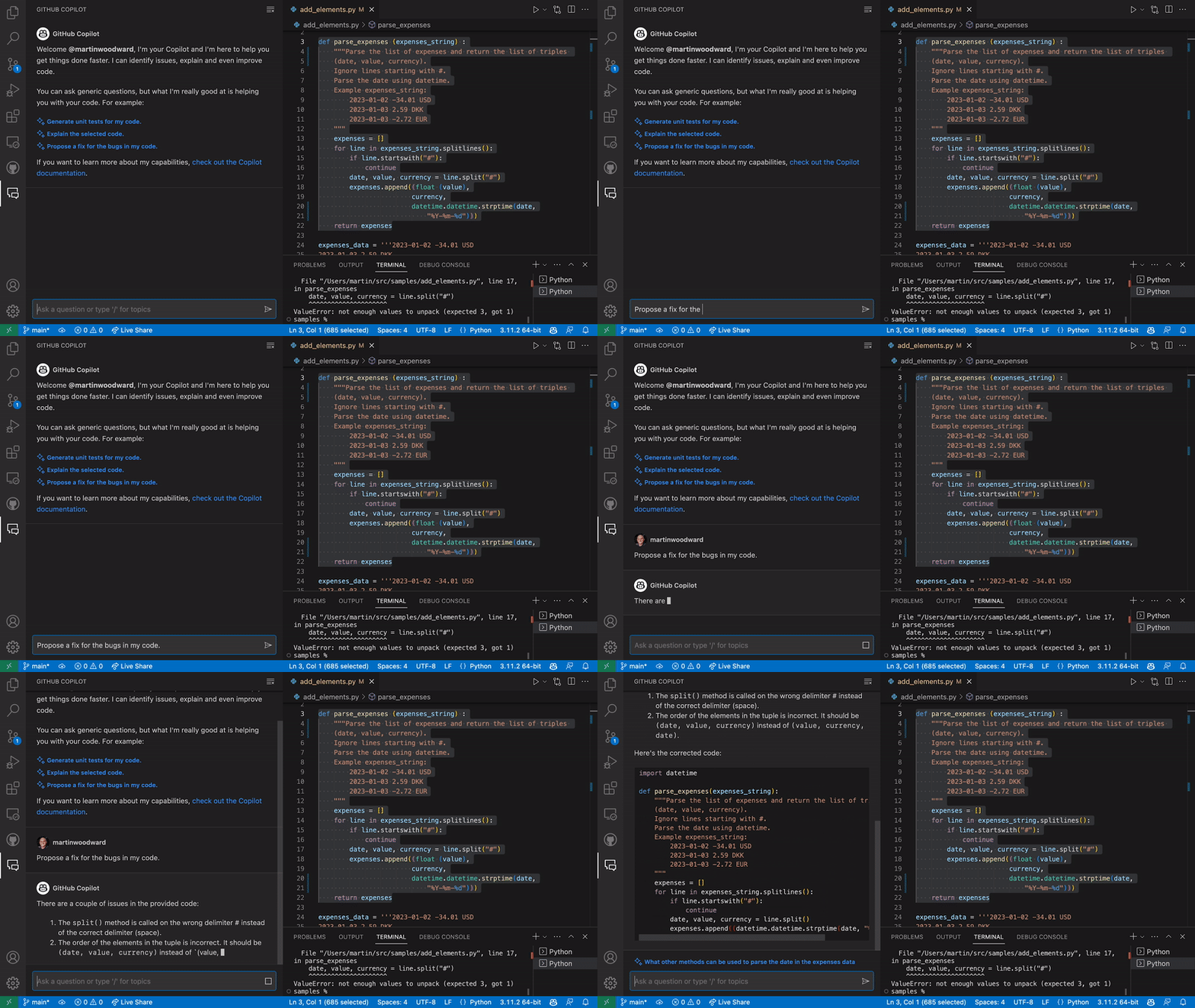
Fix code
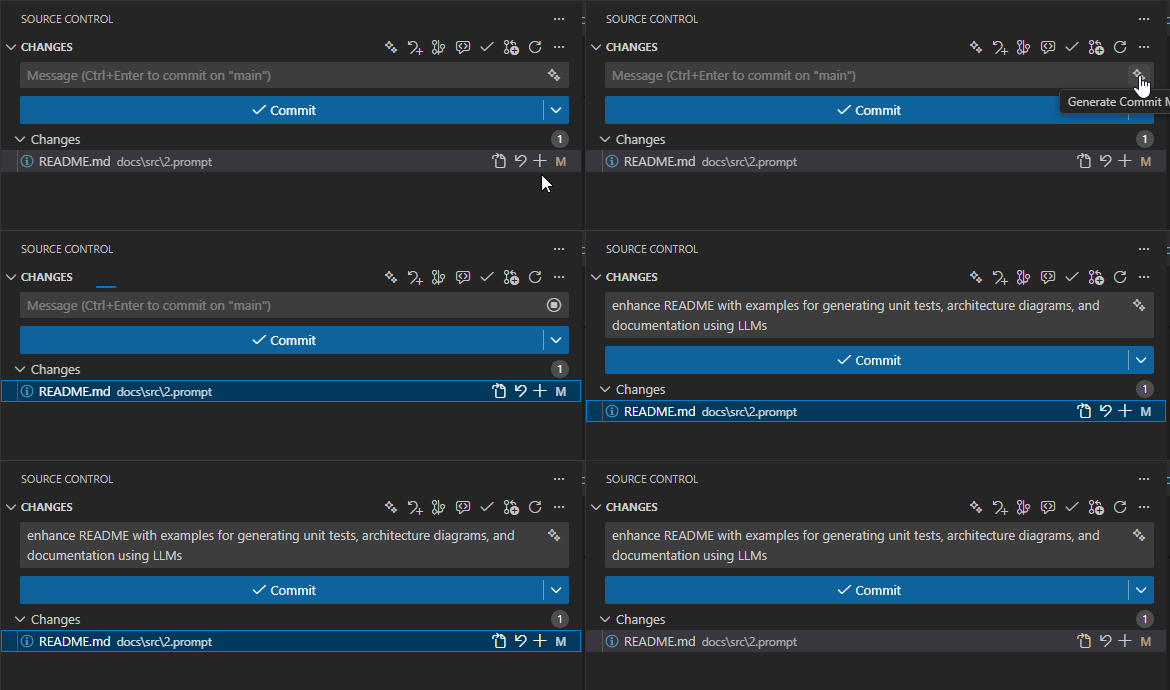
Generate commit message
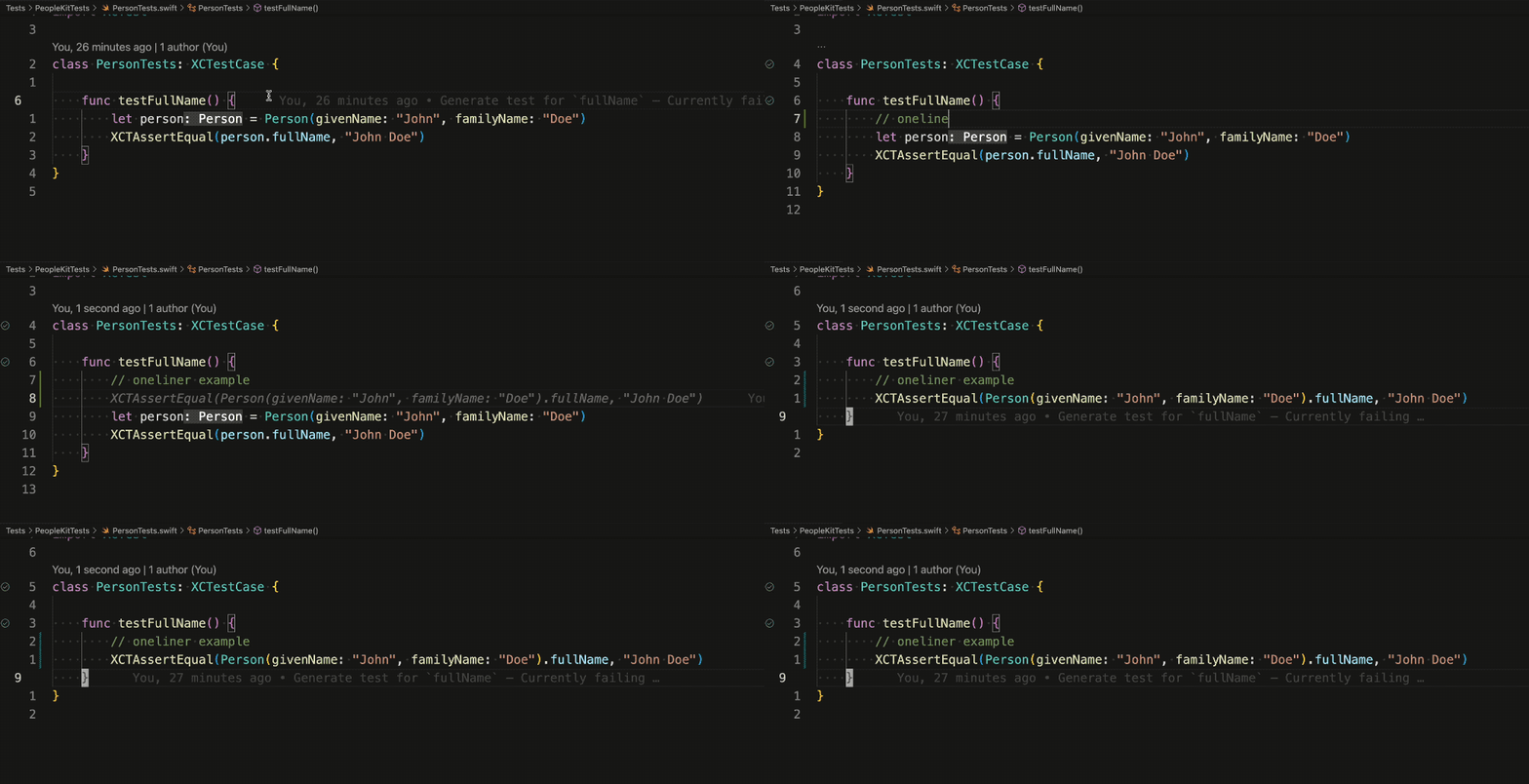
Test generation
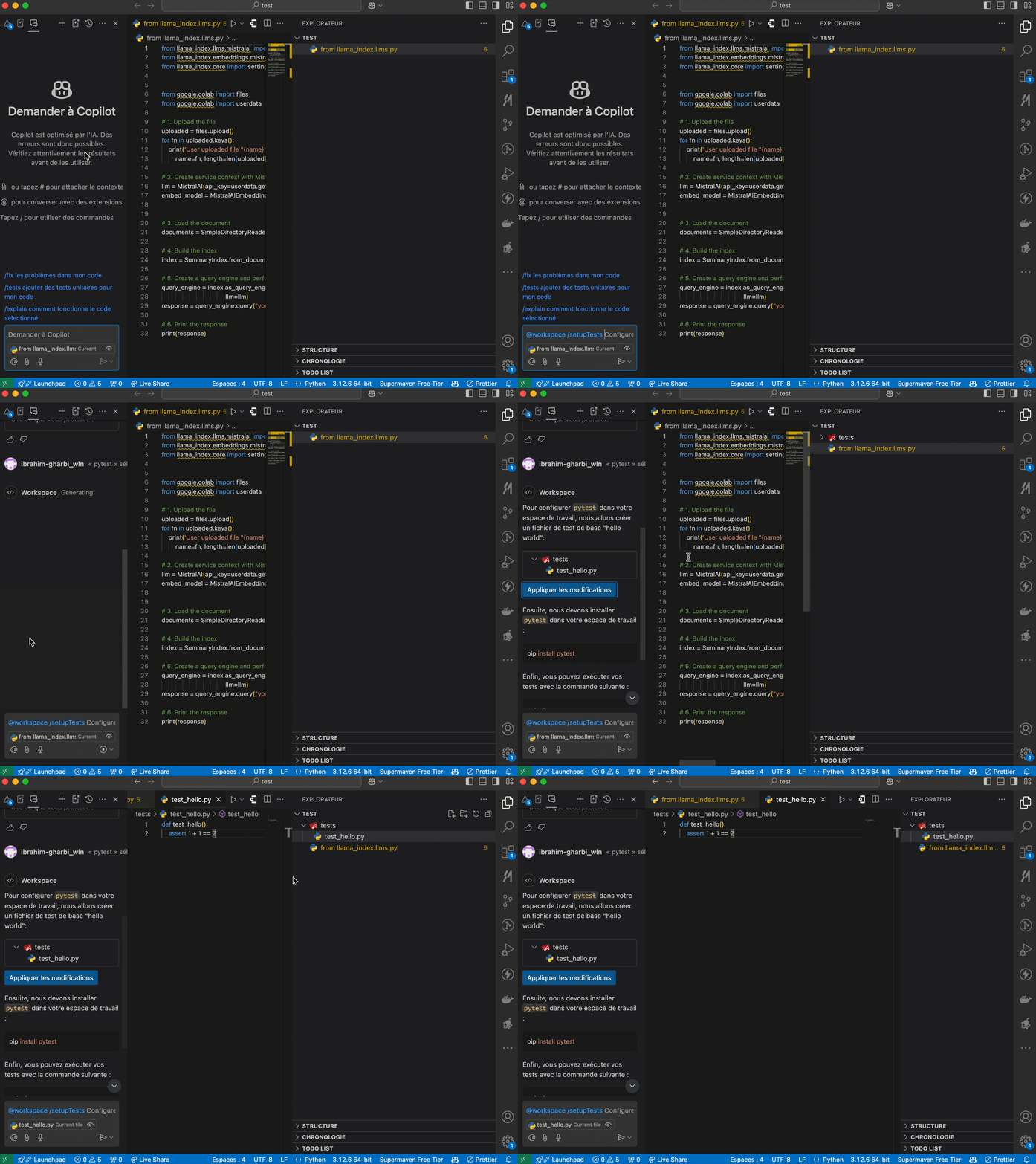
Sortcut usage of Copilot chat
You can also use the chat interface to ask questions with shortcuts :
/ask/explain/generate/refactor/test/setupTest- ...
Documentation
Architecture diagram
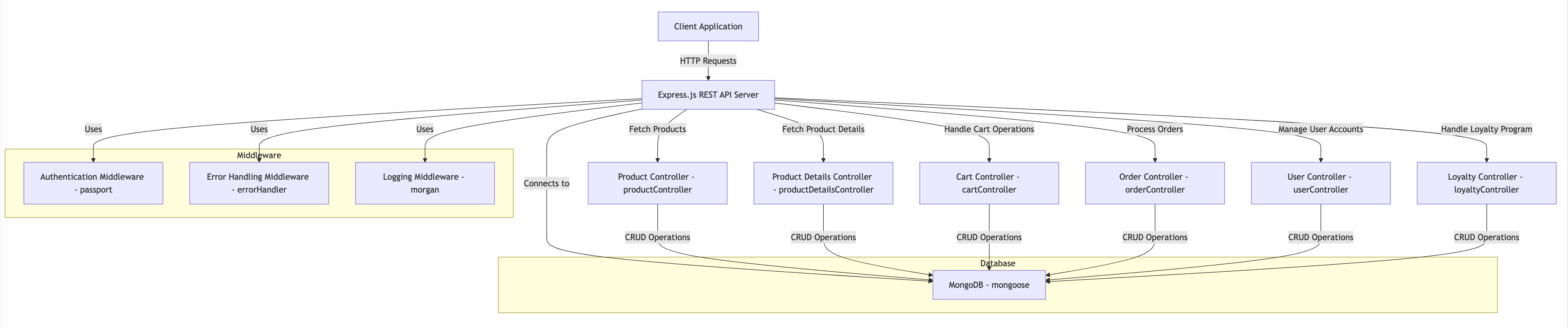
Mermaid diagrams is a great tool to create diagrams in markdown files online. With copilot you can generate a diagram based on the code you write or chat with copilot to generate the diagram.
Generate a mermaid architecture diagram for a simple retail app with product catalog, product details , buying tunnel , loyalty. Be detailed. I want to make this app with express node JS Rest API server, please provide the diagram for the server side. Suggest technical stack on the diagram , name the component variables. Parentheses are not supported by mermaid.
graph TD;
    A[Client Application] -->|HTTP Requests| B[Express.js REST API Server]
    B -->|Fetch Products| C[Product Controller - productController]
    B -->|Fetch Product Details| D[Product Details Controller - productDetailsController]
    B -->|Handle Cart Operations| E[Cart Controller - cartController]
    B -->|Process Orders| F[Order Controller - orderController]
    B -->|Manage User Accounts| G[User Controller - userController]
    B -->|Handle Loyalty Program| H[Loyalty Controller - loyaltyController]

    subgraph Database
        I[MongoDB - mongoose]
    end

    subgraph Middleware
        J[Authentication Middleware - passport]
        K[Error Handling Middleware - errorHandler]
        L[Logging Middleware - morgan]
    end

    B -->|Connects to| I
    B -->|Uses| J
    B -->|Uses| K
    B -->|Uses| L

    C -->|CRUD Operations| I
    D -->|CRUD Operations| I
    E -->|CRUD Operations| I
    F -->|CRUD Operations| I
    G -->|CRUD Operations| I
    H -->|CRUD Operations| I
Agent mode
The agent mode of copilot allows you to create multi step workflows to automate complex tasks and interacts with the IDE and external tools such as terminal, browser, file system, etc. It is using reasoning capabilities of LLMs to decompose a task into smaller sub-tasks and execute them sequentially or in parallel.
🧪 Exercise
Exercice 1 : Install GitHub Copilot on VSCode
- Install the GitHub Copilot extension on your VSCode
- Sign in with your GitHub account, if not already done
- Create a new file and start typing a function or a class, to see the suggestions provided by Copilot
Exercice 2 :Generating unit tests
We"re going to use GitHub Copilot to generate unit tests for a simple JavaScript project repository.
To run the project and unit tests, you will need NodeJs installed on your machine.
- Clone the following repository: github.com/worldline/learning-ai-workspace-js
- Open the project in your VSCode
- Open GitHub Copilot Chat by clicking on the Copilot icon in the bottom right corner of your VSCode
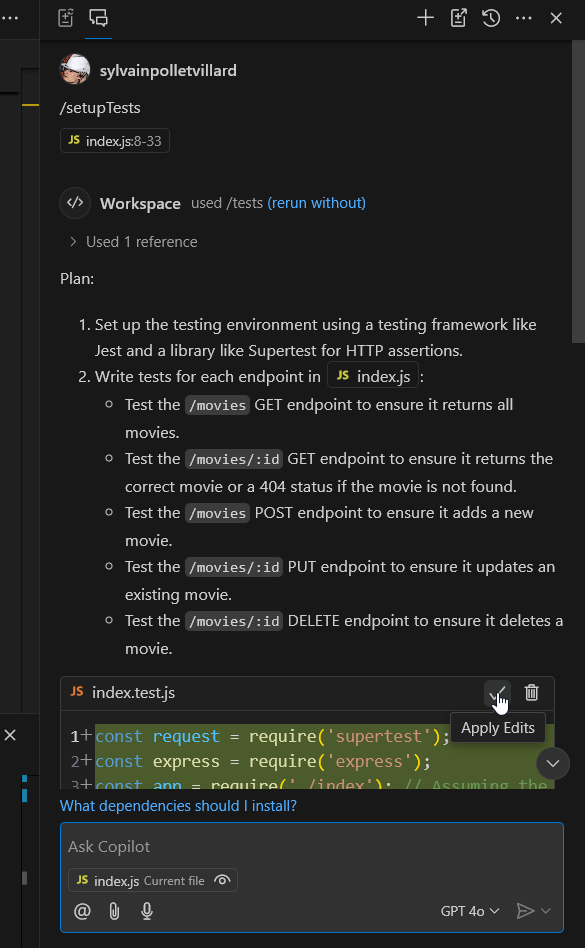
- Ask Copilot to generate unit tests for the
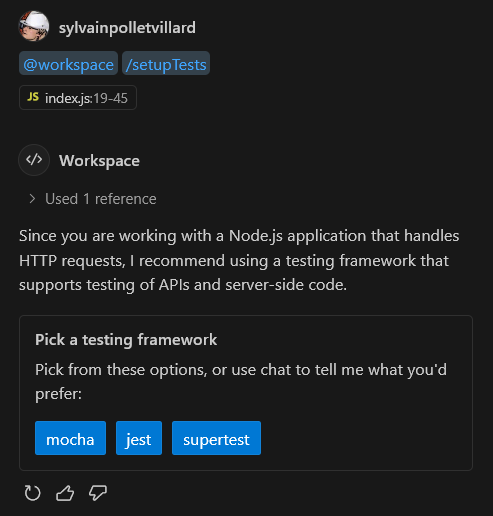
index.jsfile . You can also try the/setupTestscommand - Copilot may make several suggestions: choosing a testing framework, adding a
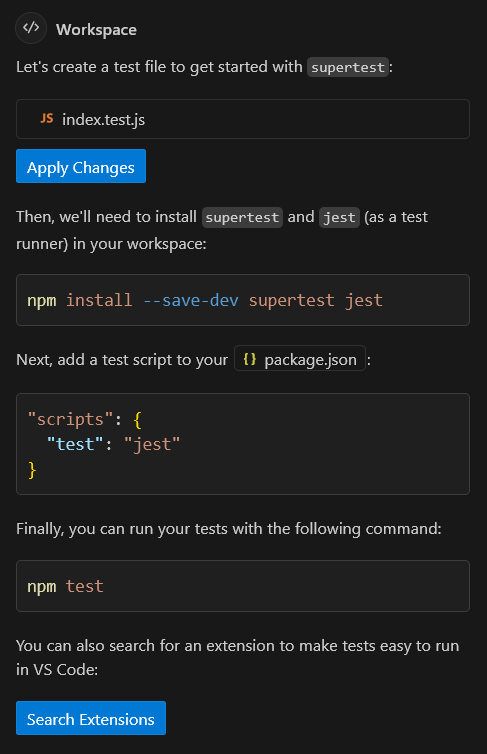
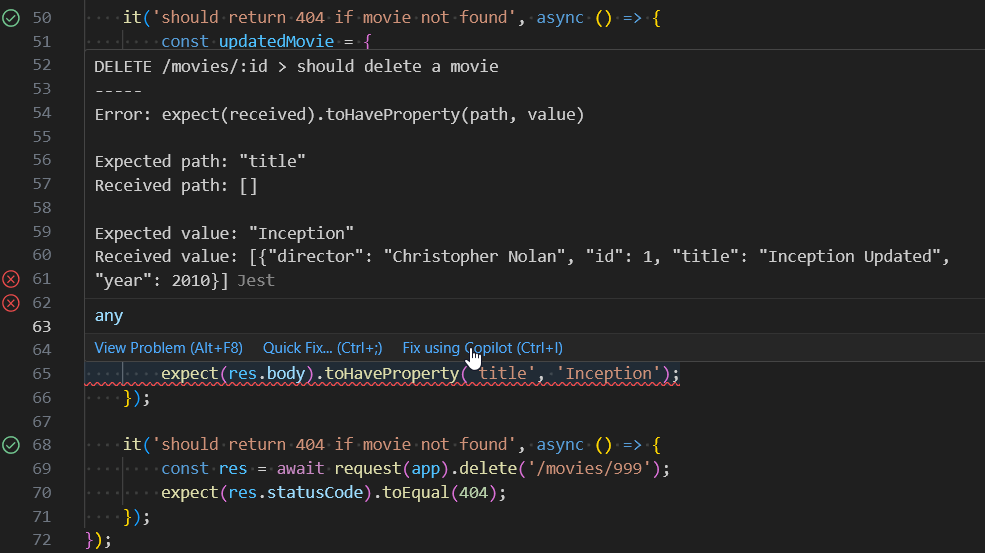
testcommand to package.json, install new dependencies. Accept all its suggestions. - Try to run the generated tests. In case of trouble, use Copilot Chat to ask for help.
Solution
Here we decided to go with supertest framework
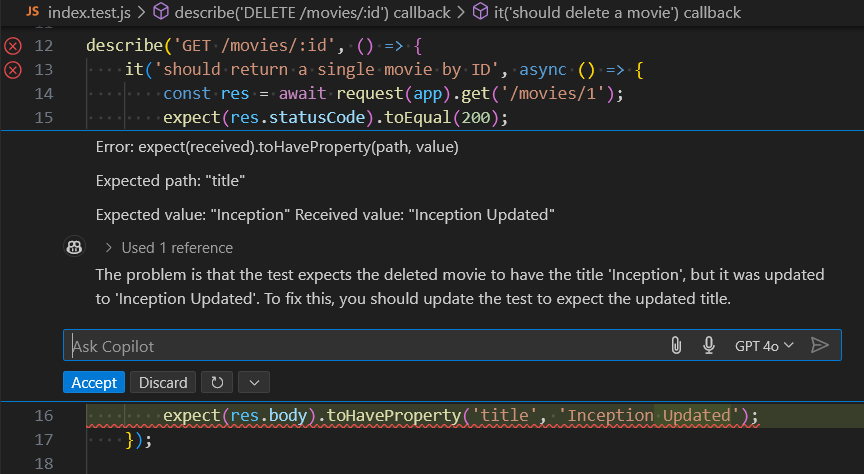
Here is an example of how Copilot can help you fix a failing test:
Exercice 3 :Refactoring
Now we are going to use Copilot to refactor a piece of code in the same project.
- Open the
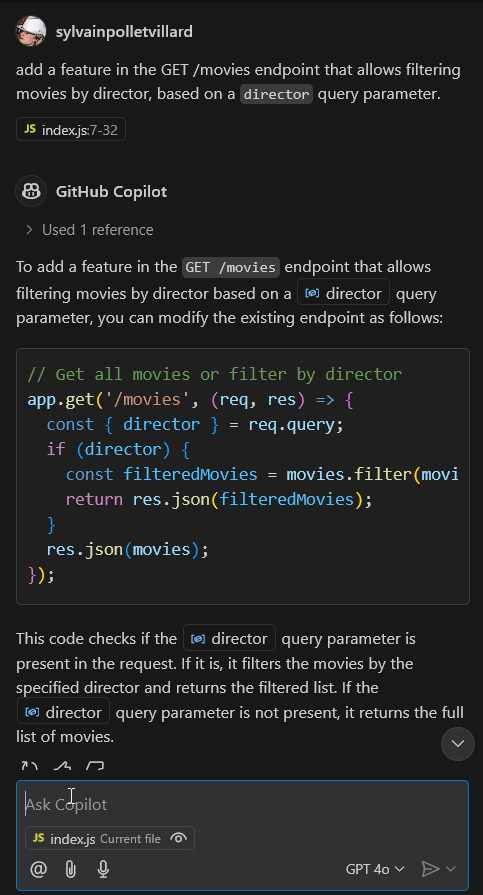
index.jsfile in the project - Ask Copilot to add a feature in the GET /movies endpoint that allows filtering movies by director, based on a
directorquery parameter. - Copilot will generate the code for you. Try to understand the changes it made and run the project to test the new feature.
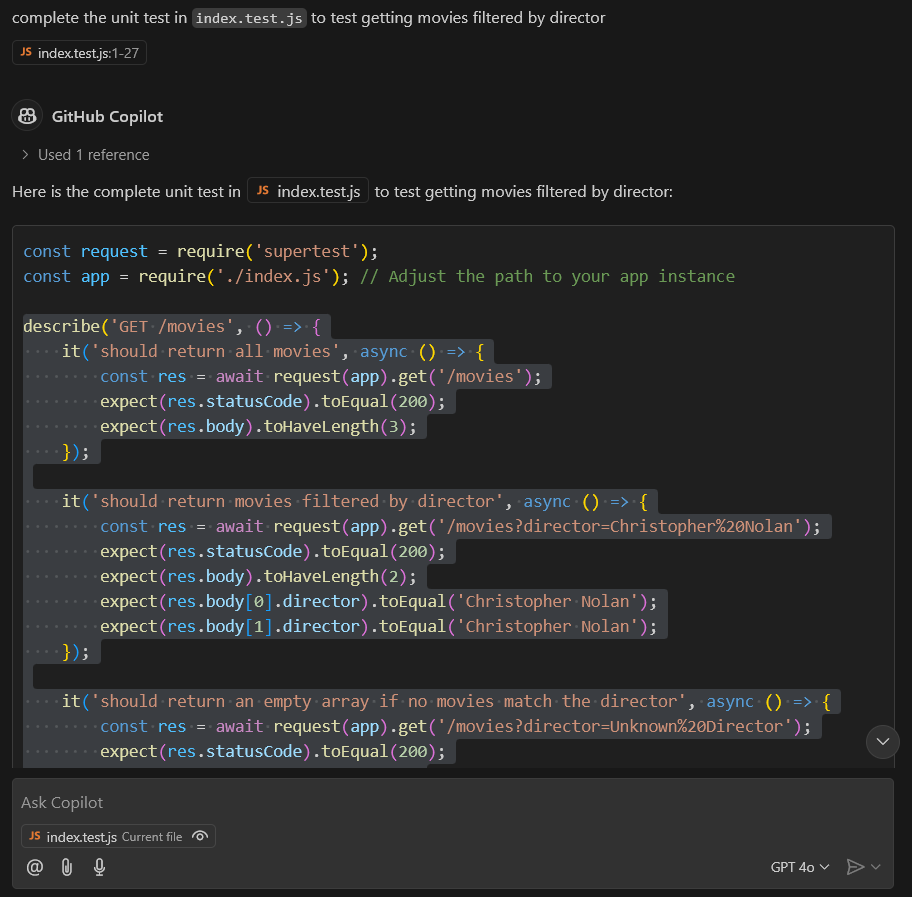
- Ask Copilot to complete the unit test in
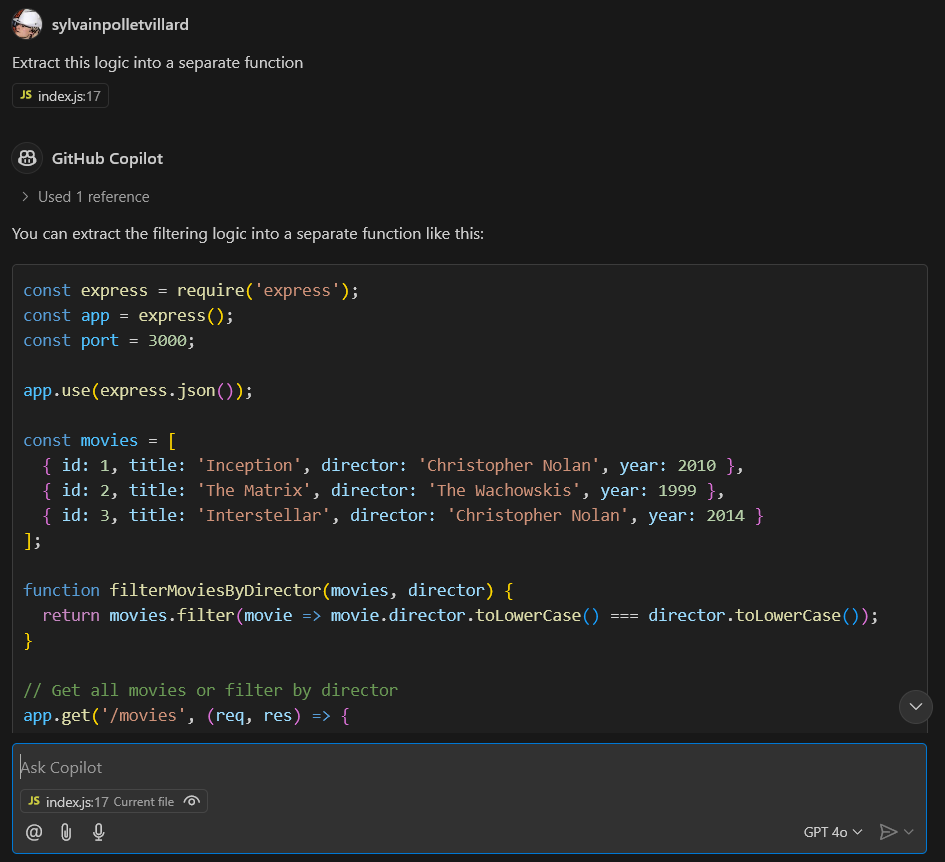
index.test.jsto test getting movies filtered by director. It should generate more unit tests that check against one of the directors in the example data. - Now we're going to refactor the code to extract the filtering logic into a separate function. Select the parts of the code with the
.find()and.filter()function calls and ask Copilot to extract them into a new function. Let Copilot suggest a name for these functions - Under the previous generated function, type
function filterMoviesByYear(. Wait for Copilot to suggest you the rest of the function signature and function body. Accept the suggestion using theTabkey. - Ask Copilot again to allow filtering movies by a
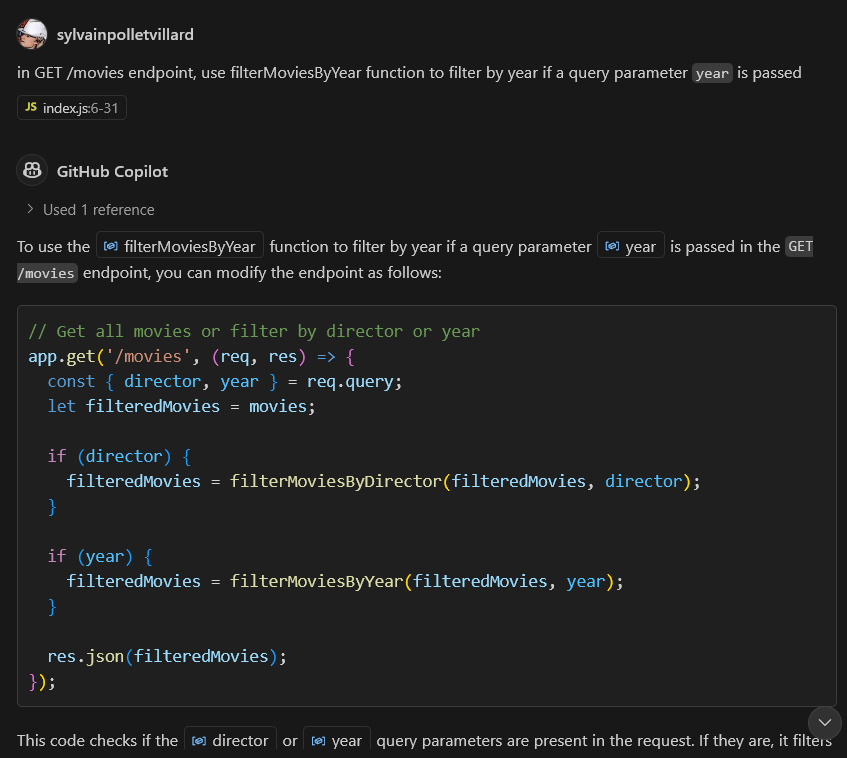
yearquery parameter. Copilot should use thefilterMoviesByYearfunction you just created to implement this feature. - Open
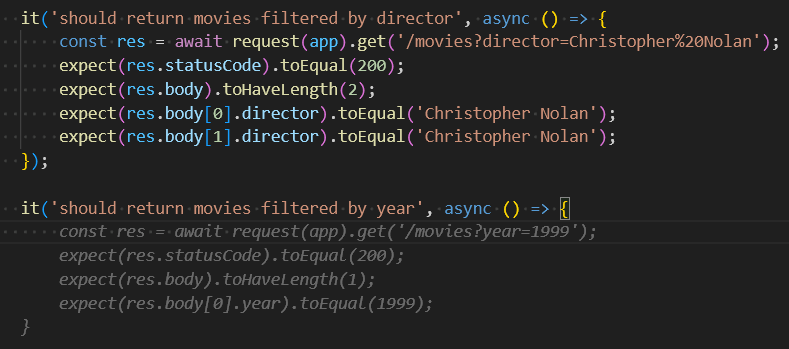
index.test.js. In theGET /moviestest block, add a new assertion block by typingit('should return movies filtered by year',. Wait for Copilot to suggest you the rest of the tests. Review code to make sure it uses the ?year query parameter and checks correctly a date from the example data. - Run the tests to make sure everything is working as expected. Use Copilot to ask for help if needed.
Solution
Adding the new feature
Complete the test
Refactor the code to extract logic
Get code suggestion from a function name

Refactor with Copilot Chat the API logic
Get code suggestion from test description
Exercice 4 : Prompt Engineering with Agent mode
Create an application that does the following:
- Create a new React project using Vite
- Add a todo list component with the following features: add, delete, mark as done, tag, filter and sort.
- Use Tailwind CSS for styling
- Create a GitHub repository and push the code to it
Use only GitHub Copilot in agent mode to complete this task. You can use the terminal and file system tools to help you with the task.
Spec Driven Development
Spec Driven Development (SDD) is an approach where you define the specifications of your application before writing any code. You can use AI tools to help you generate these specifications based on your requirements.
First platforms offering SDD capabilities are V0/ Bolt/ GitHub Spark. It allows you to create web applications by simply describing your requirements in natural language.
GitHub Spark is an AI-powered tool for creating and sharing micro apps (“sparks”), which can be tailored to your exact needs and preferences, and are directly usable from your desktop and mobile devices. Without needing to write or deploy any code.
And it enables this through a combination of three tightly-integrated components:
- An NL-based editor, which allows easily describing your ideas, and then refining them over time
- A managed runtime environment, which hosts your sparks, and provides them access to data storage, theming, and LLMs
- A PWA-enabled dashboard, which lets you manage and launch your sparks from anywhere
More advanced spec driven tools can be integrated on IDEs such as Google Antigravity, Cursor AI, and more. It's a new way of building applications that leverages the power of AI to accelerate the development process and to target autonomus code generation and build platforms such aas Blitzy.com, emergent.sh and more.
Vibe coding vs SDD
Spec Driven Development is different from "vibe coding" where developers use AI tools to generate code snippets or complete functions based on prompts. In SDD, the focus is on defining the overall structure and behavior of the application before writing any code. Also mastering the technical stack is still required to review and validate the generated code.
Billing
Copilot is a paid service with different pricing plans based on the usage and the type of account. You can find more information about the pricing on the GitHub Copilot pricing page.
Tokens used by Copilot are billed based on the number of characters generated. You can monitor your usage and set limits in the settings of your GitHub account.
🧪 Exercise
Create a web app with V0/ Bolt / or GitHub Spark
- Open V0.dev and enter a prompt to create a todo list web app with common features: add, delete, mark as done, tag, filter and sort.
- Download the code and run it on your local machine. Try to understand the code generated by V0.
- Try again this time with bolt.new.
- What are the differences between the two tools?