
GenAI for services
This section is dedicated to the usage of Generative AI models for services applications. We will explore how to interact with LLMs from simple REST API calls to more complex frameworks that enable context aware applications and agentic behaviors.
Modalities for this training
- We will use Mistral AI as the main LLM provider. Mistral AI provides free access to their models through REST APIs with a free tier making onboarding easy and fast.
- You can sign up here : Mistral AI sign up
- and get your API key from api keys section in your account settings here : Mistral AI API keys.
Also we choose Python as the main programming language for this training due to its popularity in the AI/ML community and the availability of up-to-date libraries and frameworks, documentations and easy onboarding.
We will use Google Colab for an online use of jupyter notebooks. A notebook is an interactive environment for machine learning and data science. It is a single page document that contains both code and rich text elements (paragraphs, equations, figures, links, etc.) and allows you to run code in an interactive way. With a notebooks you can :
- Prototype your ideas
- Easily share your work with others
- Collaborate with others
- Gemini is pre-installed in Google Colab environments so you can code with ease even if you're not familiar with Python development.
NB: Please do not use, for now, Worldline email for connecting to Google Colab or you will have permission issues. If needed, create a dedicated Google account for that training.
Google Colab notebooks
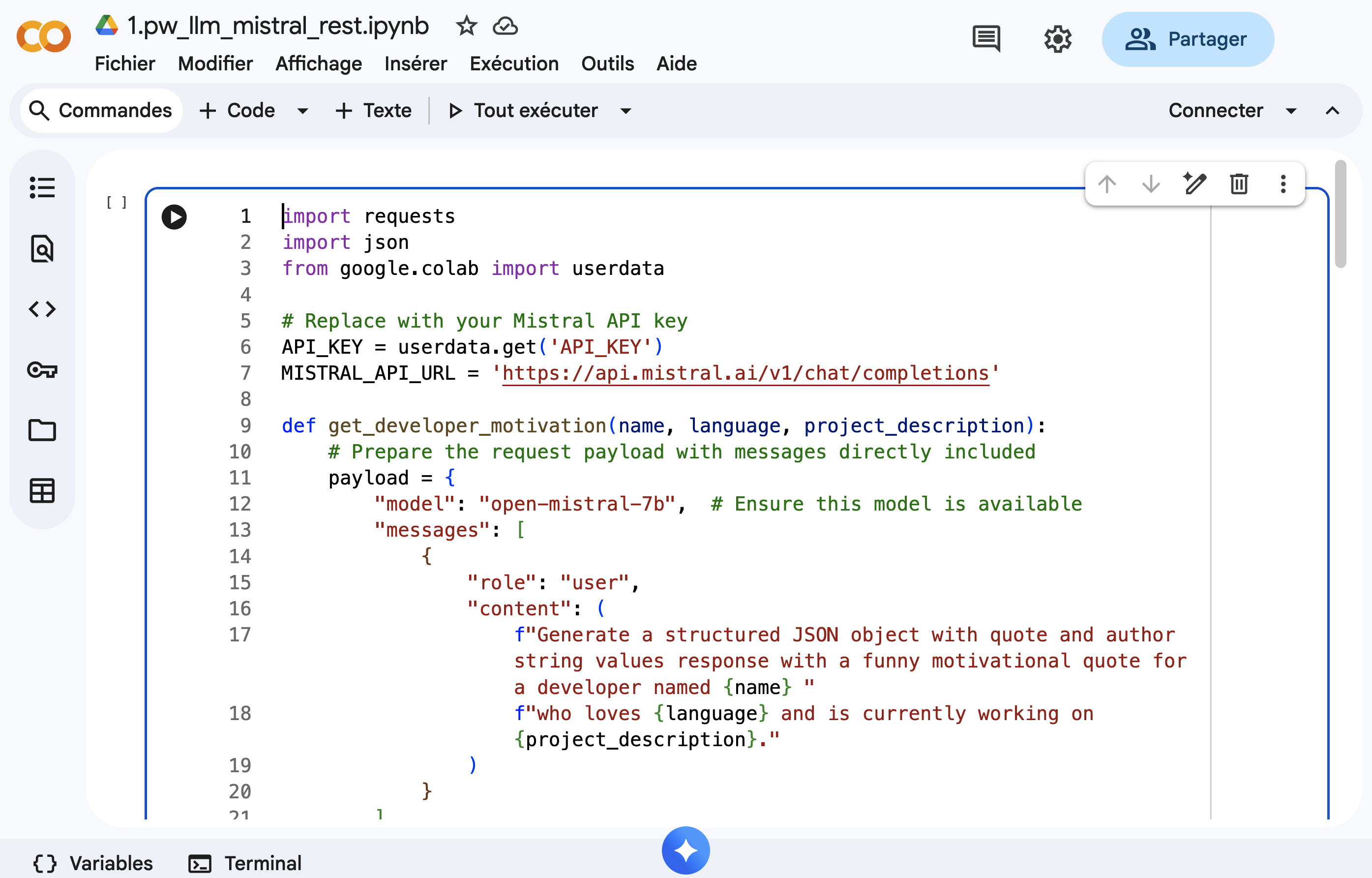
Store API keys
You can store secret keys such as API keys in the userdata of your Colab environment. To do so, follow these steps:
- Open the left sidebar in your Colab notebook.
- Click on the "Userdata" tab (it looks like a key icon).
- Click on the "Add key" button.
- Enter a name for your key (e.g.,
API_KEY) and paste your API key in the value field. - Click "Save".
Now you can retrieve the API key in your Colab notebook as follows:
from google.colab import userdata  # For retrieving API keys
# get the API key from colab userdata ( left panel of colla, picto with the key)
api_key=userdata.get('API_KEY')
Upload files in Colab
Also you can upload files to your Colab environment as follows:
from google.colab import files

# 1. Upload the file to your current colab environment ( a upload button will appear at the execution of the code)
uploaded = files.upload()
for fn in uploaded.keys():
    print('User uploaded file "{name}" with length {length} bytes'.format(
        name=fn, length=len(uploaded[fn])))
# 2. Now you can read the file as usual
Importing libraries
To setup your Colab environment whith third party libraries, you can use the pip command directly in a code cell as follows:
!pip install <library-name>
After clicking on the play button of the code cell, the library will be installed in your Colab environment and you can import it as usual in the next code cells.
LLMs with REST APIs
OpenAI API standard
OpenAI provides a set of standard endpoints for interacting with their LLMs. This standard is widely adopted by many LLM providers including Mistral AI. The main endpoints are as follows:
| Endpoint & Description | Method & URL | Header | Body | Response |
|---|---|---|---|---|
| List Models Retrieve list of available models | GET /v1/models | Authorization: Bearer {api_key} | — | { "object": "list", "data": [...], "has_more": false } |
| Retrieve Model Get details of a specific model | GET /v1/models/{model} | Authorization: Bearer {api_key} | — | { "id": "gpt-4", "object": "model", "owned_by": "openai", "permission": [...], "created": 1234567890 } |
| Chat Completions Generate chat-based responses | POST /v1/chat/completions | Authorization: Bearer {api_key}Content-Type: application/json | { "model": "gpt-4", "messages": [{"role": "system", "content": "..."}, {"role": "user", "content": "..."}], "temperature": 0.7, "max_tokens": 100, "top_p": 1 } | { "id": "chatcmpl-abc123", "object": "chat.completion", "created": 1234567890, "model": "gpt-4", "choices": [{ "index": 0, "message": {"role": "assistant", "content": "..."}, "finish_reason": "stop" }], "usage": { "prompt_tokens": 10, "completion_tokens": 20, "total_tokens": 30 } } |
| Embeddings Generate vector embeddings for text | POST /v1/embeddings | Authorization: Bearer {api_key}Content-Type: application/json | { "model": "text-embedding-3-small", "input": "Hello world", "encoding_format": "float" } | { "object": "list", "data": [{ "object": "embedding", "embedding": [0.123, -0.456, ...], "index": 0 }], "model": "text-embedding-3-small", "usage": { "prompt_tokens": 3, "total_tokens": 3 } } |
API references for Mistral AI :
You can test these endpoints here:
API Configuration
Available Endpoints
GET List Models
Retrieve list of available models
GET Retrieve Model
Get details of a specific model
POST Chat Completions
Generate chat-based responses
POST Embeddings
Generate vector embeddings for text
Output Console
Structured Outputs
Structured Outputs is a feature that ensures the model will always generate responses that adhere to your supplied JSON Schema, so you don't need to worry about the model omitting a required key, or hallucinating an invalid enum value.
Some benefits of Structured Outputs include:
- Reliable type-safety: No need to validate or retry incorrectly formatted responses
- Explicit refusals: Safety-based model refusals are now programmatically detectable
- Simpler prompting: No need for strongly worded prompts to achieve consistent formatting
Structured Outputs is the evolution of JSON mode. While both ensure valid JSON is produced, only Structured Outputs ensure schema adherence.
Example
import requests
import json

api_key = "your-api-key"
url = "https://api.openai.com/v1/chat/completions"

payload = {
    "model": "gpt-4",
    "messages": [{"role": "user", "content": "Extract: John is 28 and lives in Paris"}],
    "response_format": {
        "type": "json_schema",
        "json_schema": {
            "name": "person",
            "schema": {
                "type": "object",
                "properties": {
                    "name": {"type": "string"},
                    "age": {"type": "integer"},
                    "city": {"type": "string"}
                }
            }
        }
    }
}

headers = {
    "Authorization": f"Bearer {api_key}",
    "Content-Type": "application/json"
}

response = requests.post(url, json=payload, headers=headers)
result = json.loads(response.json()["choices"][0]["message"]["content"])
print(result)
Output
{'name': 'John', 'age': 28, 'city': 'Paris'}
🧪 Exercise
Request an LLM with with basic REST request
Create a Python application that generates humorous motivational quotes for developers based on their name, favorite programming language, and a brief description of their current project or challenge.
Library for making API calls
You can use requests for making API calls in Python.
Expected Output
Enter your name: Ibrahim
Enter your favorite programming language: kotlin
Enter your current project description: conference app with KMP

--- Motivational Quote ---
Quote: "Code like you just ate a burrito... with passion, speed, and a little bit of mess!"
Author: Unknown
--------------------------
How to start ?
- Open the following Google Colab notebook and complete the exercise there.
Steps
- Create a function
get_developer_motivation(name, language, project_description)that: - Takes a developer's name, their favorite programming language, and a brief description of their current project or challenge as input.
- Uses the Mistral AI API to generate a humorous motivational quote. use request package to make the API call.
- Returns a structured response containing the quote.
solution
Context aware frameworks (LangChain)
LangChain is a framework for building applications powered by language models (LLMs) like OpenAI's GPT-3. It provides a set of tools and utilities for working with LLMs, including prompt engineering, chain of thought, and memory management. LangChain is designed to be modular and extensible, allowing developers to easily integrate with different LLMs and other AI services. Finally it enables to build agents and complex workflows on top of LLMs.
Request LLMs
Chat models
Depending on the LLM, LangChain provides different APIs that are called ChatModels. These models are designed to handle conversational interactions with the LLM, allowing you to send messages and receive responses in a chat-like format. Have a look at the following table here to see which APIs are available for your LLM.
Mistral AI Chat Model is supported by LangChain and provides the following features:
| Model Features | Tool Calling | Structured Output | JSON Mode | Image Input | Audio Input | Video Input |
|---|---|---|---|---|---|---|
| ✅ | ✅ | ✅ | ❌ | ❌ | ❌ |
To use langchain with mistral, you need to install the langchain_mistralai package and create a ChatMistralAI object.
from langchain_mistralai.chat_models import ChatMistralAI
# Define your API key and model
API_KEY = 'your_api_key'  # Replace with your actual Mistral API key
MISTRAL_API_URL = 'https://api.mistral.ai/v1/chat/completions'
llm = ChatMistralAI(api_key=API_KEY, model="open-mistral-7b")
Prompt template
Prompt templating is a powerful feature that allows you to create dynamic prompts based on the input data. It enables you to generate prompts that are tailored to the specific requirements of your application.
from langchain.prompts import PromptTemplate

prompt = PromptTemplate(
    input_variables=["text", "language"],
    template="translate the following text to {language}: {text}",
)
Chaining
Chain Chains refer to sequences of calls - whether to an LLM, a tool, or a data pre-processing step. It is a sequence of calls that are executed in order, with the output of one call being the input for the next call.It enables you to create complex workflows by combining the output of one LLM call with the input of another. This is useful for tasks that require multiple steps or interactions with external systems.
Chains can be created using the | operator to combine different components, such as prompts and LLM models.
from langchain.chains import LLMChain

input_data = {
    "text": "Hello, how are you?",
    "language": "French"
}

chain = prompt | llm_model
response=chain.invoke(input_data)
AIMessage
AIMessage represents the output of a model invocation. They can include multimodal data, tool calls, and provider-specific metadata that you can later access
{
  "type": "ai",
  "content": "The capital of France is Paris. It is located in northern-central France and is known for its iconic landmarks like the Eiffel Tower, Notre-Dame Cathedral, and the Louvre Museum.",
  "response_metadata": {
    "token_usage": {
      "completion_tokens": 31,
      "prompt_tokens": 15,
      "total_tokens": 46
    },
    "model_name": "gpt-4",
    "finish_reason": "stop"
  },
  "id": "run-abc123-xyz789",
  "name": null,
  "example": false
}
Output Parsers
Output Parsers are used to parse the output of an LLM into a structured format. They enable you to extract specific information from the LLM's response, making it easier to work with the data.
from langchain.output_parsers import JsonOutputParser
output_parser = JsonOutputParser()
response = llm("Generate a JSON object with name and age")
parsed_output = output_parser.parse(response)
🧪 Exercise
Request an LLM with langchain
Create a Python application that generates humorous motivational quotes for developers based on their name, favorite programming language, and a brief description of their current project or challenge.
Expected Output
Enter your name: Ibrahim
Enter your favorite programming language: kotlin
Enter your current project description: conference app with KMP

--- Motivational Quote ---
Quote: "Code like you just ate a burrito... with passion, speed, and a little bit of mess!"
Author: Unknown
--------------------------
How to start ?
- Open the following Google Colab notebook and complete the exercise there.
Steps
- Create a function
get_developer_motivation(name, language, project_description)that: - Takes a developer's name, their favorite programming language, and a brief description of their current project or challenge as input.
- Uses LangChain to send a request to the LLM to generate a humorous motivational quote.
- Returns a structured response containing the quote, the developer's name, the programming language, and the project description.
solution
Tools
Function/Tool calling is a feature that allows the LLM to call existing functions from your code. It is useful for allowing the LLM to interact wiht external APIs or other models that require function calls. Once a tool function is created, you can register it as a tool within LangChain for being used by the LLM.
Create a tool
With annotated function
@tool(name_or_callable="do_something", description="this tool does something.")
def some_function(arg: str) -> dict:
    return {"output": f"Did something with {arg}"}
With Tool class
a_tool = Tool(
    name="do_something",
    description="this tool does something",
    func=some_function
)
Bind tool to LLM
You can bind the tool to the LLM using the bind_tools method. This allows the LLM to call the tool when needed.
llm_with_tools = llm.bind_tools([weather_tool])
Handle tool calls
You can handle tool calls by checking if the response from the LLM includes any tool calls. If a tool call is detected, you can extract the function name and arguments from the tool call and invoke the corresponding tool function.
response = llm_with_tools.invoke(input_data)

f 'tool_calls' in response.additional_kwargs:
        # Extract the tool call information
        tool_calls = response.additional_kwargs['tool_calls']

        for tool_call in tool_calls:
            # Extract the function object and arguments
            function_info = tool_call['function']
            function_name = function_info['name']
            arguments = function_info['arguments']
             if function_name == 'some_tool':
                # Call the tool function with the extracted arguments
                tool_response = some_tool(**arguments)
                return tool_response
🧪 Exercise
Tool/Function calling : Request an LLM with Tool/Function calling
Build a command-line application that fetches weather data for a specified city using LangChain and a public weather API. The application will utilize implicit tool calling to allow the LLM to decide when to call the weather-fetching tool based on user input.
Output
Ask about the weather (e.g., 'Lille, France'): Paris

------------------------------------------------------------------------------
The current weather in Paris is: overcast clouds with a temperature of 6.63°C.
------------------------------------------------------------------------------
How to start ?
- Sign up for an API key from a weather service provider (e.g., OpenWeatherMap). - You can generate your key here
- Here is the API documentation for current weather data: OpenWeatherMap Current Weather API
| Endpoint & Description | Method & URL | Parameters | Response |
|---|---|---|---|
| Get Current Weather Fetch current weather data for a specified city | GET https://api.openweathermap.org/data/2.5/weather | q: City name (e.g., "Lille")appid: Your API keyunits: Units of measurement (e.g., "metric" for Celsius) | json { "weather": [{ "description": "clear sky", ... }], "main": { "temp": 15.5, ... }, ... } |
- Open the following Google Colab notebook and complete the exercise there.
- Define a function
fetch_weather(city: str) -> dictthat takes a city name as input and returns the weather data as a dictionary. Use the weather API to fetch the data. - Use the
Toolclass from LangChain to register thefetch_weatherfunction as a tool. - Create a prompt template that asks about the weather in a specified city.
- Instantiate the
ChatMistralAImodel with your Mistral API key. - Create a chain that combines the prompt template, the chat model, and the registered weather tool.
- Implement a function
handle_user_input(city)that:- Takes user input for the city name.
- Invokes the chain with the input data.
- Checks if the response includes
tool calls. - Extracts the function name and arguments from the tool call and invokes the weather tool if necessary.
- Returns the weather information or the LLM's response.
- Prompt the user to enter a city name.
- Call the
handle_user_inputfunction with the provided city name and display the result.
Solution
RAG with llama-index
llama-index is a powerful tool for building and deploying RAG (Retrieval Augmented Generation) applications. It provides a simple and efficient way to integrate LLMs into your applications, allowing you to retrieve relevant information from a large knowledge base and use it to generate responses. RAG is a technique that leverages the power of LLMs to augment human-generated content.
RAG over Unstructured Documents
Unstructured documents are a common source of information for RAG applications. These documents can be in various formats, such as text, PDF, HTML, or images. LlamaIndex provides tools for indexing and querying unstructured documents, enabling you to build powerful RAG applications that can retrieve information from a large corpus of documents.
documents = SimpleDirectoryReader(input_files=[fn]).load_data()
index = SummaryIndex.from_documents(documents, settings=settings)
query_engine = index.as_query_engine(response_mode="tree_summarize", llm=llm)
response = query_engine.query("<your_query_here>")
🧪 Exercise
Querying on Unstructured Documents
Create a Python application that provide a txt document containings a list of application comments and make sentiment analysis on it with llama-index.
Your customer review txt file :
Review 1: I was very disappointed with the product. It did not meet my expectations.
Review 2: The service was excellent! I highly recommend this company.
Review 3: I had a terrible experience. The product was faulty, and the customer support was unhelpful.
Review 4: I am extremely satisfied with my purchase. The quality is outstanding.
Expected Shell Output:
Saving customer_reviews.txt to customer_reviews (4).txt
User uploaded file "customer_reviews (4).txt" with length 338 bytes
The customers' experiences with the company and its products vary. Some have had positive experiences, such as excellent service and high-quality products, while others have encountered issues with faulty products and unhelpful customer support.
How to start ?
- Open the following Google Colab notebook and complete the exercise there.
- Create a text file named
customer_reviews.txtcontaining the provided customer reviews. - Use colab's file upload feature to upload the
customer_reviews.txtfile to your Colab environment. - Load the document using
SimpleDirectoryReaderfromllama_index. - Create a
SummaryIndexfrom the loaded document. - Instantiate a query engine using the index and the LLM.
- Implement a function
analyze_sentiment()that:- Queries the index for sentiment analysis of the customer reviews.
- Returns the sentiment analysis result.
- Call the
analyze_sentiment()function and display the result.
Solution
Question Answering (QA) over Structured Data (MySQL)
Structured Data is another common source of information for RAG applications. This data is typically stored in databases or spreadsheets and can be queried using SQL or other query languages. LlamaIndex provides tools for connecting LLMs to databases and querying structured data, allowing you to build RAG applications that can retrieve information from databases.
#The database library used in this example is SQLAlchemy
sql_database = SQLDatabase(engine, include_tables=["books"])
query_engine = NLSQLTableQueryEngine(
    sql_database=sql_database,
    tables=["books"],
    llm=llm,
    embed_model=embed_model,
)

query_engine.query("Who wrote 'To Kill a Mockingbird'?")
🧪 Exercise
RAG : Querying SQL Databases with Natural Language
Create a Python application that initializes a list of languages and their creators with sqlalchemy and requests the LLM to retrieve the creators of a language. The LLM should be able to understand the context and retrieve the relevant information from the database.
Expected Shell Output:
[
    {
        "language_name": "Python",
        "creator": "Guido van Rossum",
        "year_created": 1991
    },
    {
        "language_name": "JavaScript",
        "creator": "Brendan Eich",
        "year_created": 1995
    },
    {
        "language_name": "Java",
        "creator": "James Gosling",
        "year_created": 1995
    },
    {
        "language_name": "C++",
        "creator": "Bjarne Stroustrup",
        "year_created": 1985
    }
]
Guido van Rossum created Python in 1991.
How to start ?
- Open the following Google Colab notebook and complete the exercise there.
- Define a SQLAlchemy model for the programming languages table.
- Initialize the database with a list of programming languages and their creators.
- Create a
SQLDatabaseinstance using the SQLAlchemy engine. - Instantiate the
NLSQLTableQueryEnginewith the SQL database and the LLM. - Implement a function
get_language_creator(language_name)that:- Takes a programming language name as input.
- Uses the query engine to retrieve the creator of the specified language.
- Returns the creator's name and the year the language was created.
- Prompt the user to enter a programming language name.
- Call the
get_language_creatorfunction with the provided language name and display the result.
Solution
Embeddings
Embeddings are numerical representations of words, phrases, or entire documents in a continuous vector space. They capture semantic relationships between different pieces of text, allowing LLMs to understand context and meaning more effectively. An Embedding is the specialization of a Vector in the context of language models.
It can be useful to store embeddings in a vector database to enable efficient similarity search and retrieval of relevant information and have cost effective solutions for large scale applications.
Contesxt aware frameworks like LangChain provide easy to use APIs to interact with embedding endpoints of LLM providers.
from langchain_mistralai.embeddings import MistralAIEmbeddings
🧪 Exercises
Exercice 1- Use langchain to request Mistral AI API embedding endpoint to get the embedding of a text prompt
How to start ?
- Open the following Google Colab notebook and complete the exercise there.
- Install the
langchain_mistralaipackage in your Colab environment. - Create a
MistralAIEmbeddingsobject with your Mistral API key. - Implement a function
get_text_embedding(text)that:- Takes a text prompt as input.
- Uses the
MistralAIEmbeddingsobject to get the embedding of the text. - Returns the embedding as a list of floats.
- Call the
get_text_embeddingfunction with a sample text prompt and display the embedding.
Solution
Exercice 2 - Let's use chaining to create a chain that compares the embeddings.
You have a json file with a list of FAQ questions and answers. Let's request the Mistral AI API to get the embedding of a question and compare it with the embeddings of the FAQ questions to find the most similar one. Then return the question of the FAQ that is the most similar to the question asked to get the final answer from the LLM.
Here is the schema :
How to start ?
- Open the following Google Colab notebook and complete the exercise there.
- Create a JSON file named
faqs.jsoncontaining a list of FAQ questions and answers. - Load the FAQ data from the JSON file and convert it to a list of questions and answers.
- Create a
MistralAIEmbeddingsobject with your Mistral API key. - Implement a function
get_most_similar_faq(user_question)that:- Takes a user question as input.
- Uses the
MistralAIEmbeddingsobject to get the embedding of the user question. - Compares the user question embedding with the FAQ question embeddings using cosine similarity.
- Returns the most similar FAQ question and its answer.
- Call the
get_most_similar_faqfunction with a sample user question and display the result.
Solution
Vector databases (Soon)
A vector database is a specialized database designed to store and retrieve high-dimensional vectors efficiently. It is particularly useful for applications involving similarity search, such as image recognition, recommendation systems, and natural language processing.
Usage of Chroma
Chroma is a vector database that allows you to store and query vectors of data. Lanchain provides a simple and efficient way to integrate Chroma into your applications, allowing you to store and query vectors of data using LLMs.
Please refer to the Langchain vector documentation for more information on how to use Chroma.